
Boards
The week, on one board.
Queues, approvals, blockers, and shipped work in one place instead of scattered across status calls. Read it before the call, not during it.
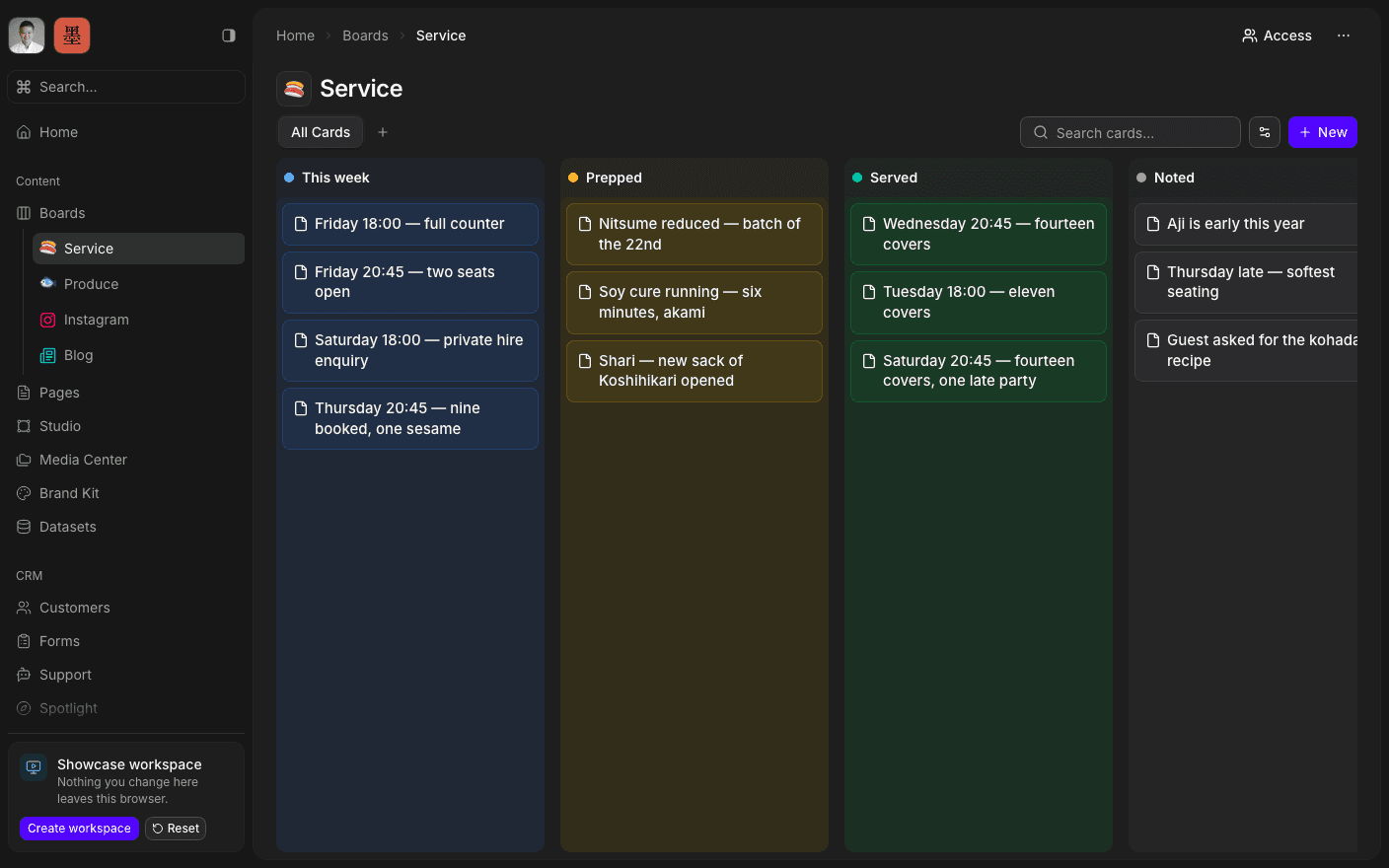
Press play to run the real interface right here — made-up data, in your browser, and nothing you do in it leaves the tab.
Less a checklist, more an operational database.
A board is columns and cards, and a card holds far more than a title. Content, comments, assignees, due dates, visibility, and any custom fields the work needs — a card can carry its own page, so the brief and the task are the same object rather than two things to keep in step.
The same board reads three ways. Kanban when you want to see work moving across columns, a table when you want to sort and filter a hundred rows, and a calendar when the question is when. It is one set of cards behind all three, so nothing has to be kept in sync.
Views can be saved with their filters, so the board you open is the board you actually want — this week's queue, everything waiting on your approval, or everything shipped this quarter. And a board can start from a built-in template rather than an empty screen.
Inside Boards
Move work across columns
Drag a card as it goes from queued to shipped.
Switch to a table
Sort, filter, and scan a hundred rows at once.
Switch to a calendar
See the same cards by date, and move them by dragging.
Add your own fields
Custom properties per board, typed and filterable.
Save a view
Keep a filter set as its own named view.
Attach a page
Give a card its own document, in the same place.
See this week.
Book a 30-minute call. We'll go through what's working, what isn't, and what the first move should be. If we're not the right fit, we'll say so on the call.