
Your workspace with SharpHaw, open at any hour.
Every page, board, audit, asset and campaign we build for you lives here — visible the moment it is ready, instead of in a status call next week. One login for all of it.
Included with every SharpHaw plan
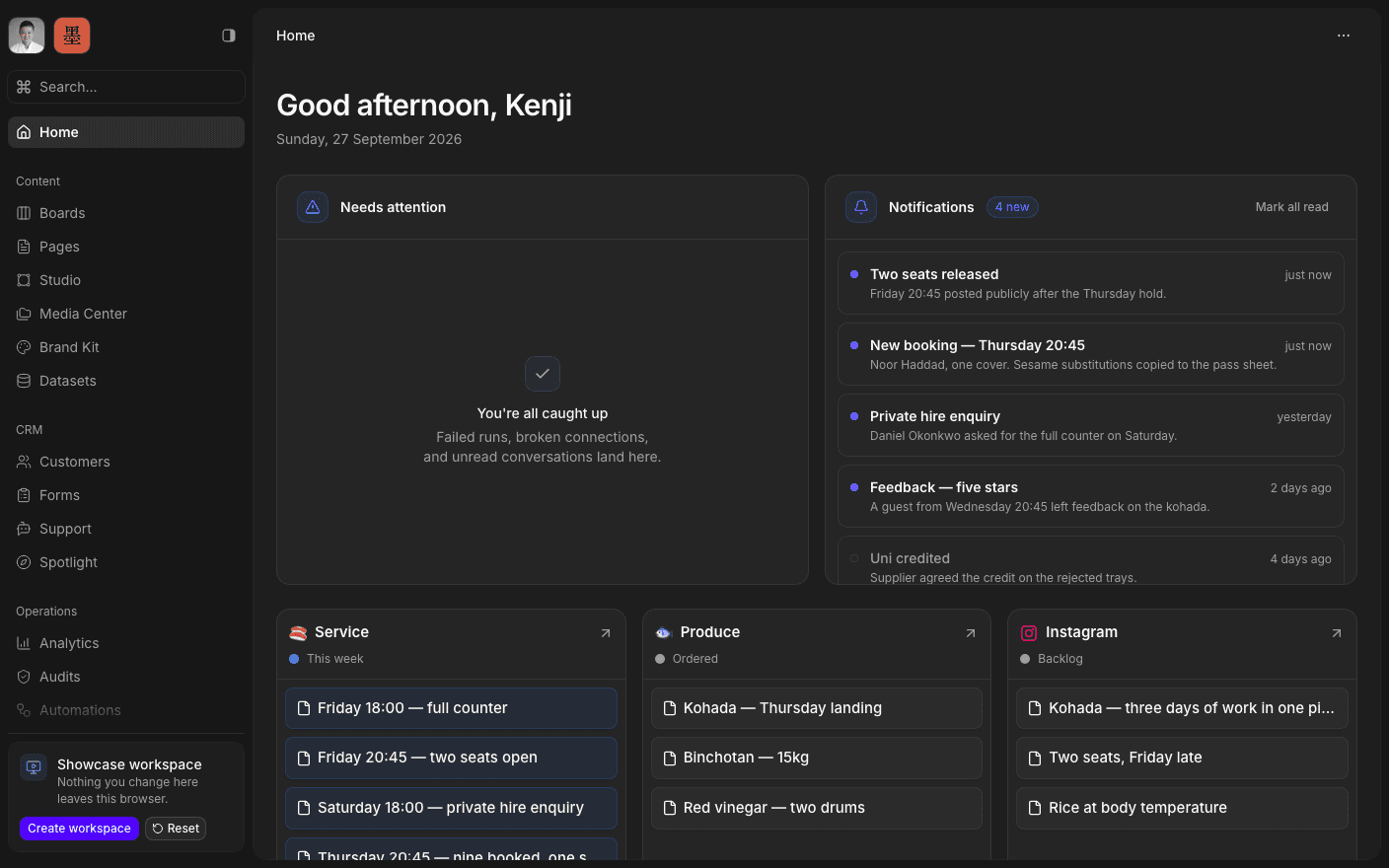
Press play to run the real interface right here — made-up data, in your browser, and nothing you do in it leaves the tab.
What's inside
Every part of the work has a place.
Three groups, and the surface each thing lives on. Open any one to see what it does.
Content
Where the work is planned, written, designed, and stored.
- BoardsWeekly queues, approvals, shipped work, and blockers, as a kanban, a table, or a calendar.
- PagesStrategy, research, the content plan, and any operating doc the engagement needs.
- StudioA design workspace for social content, built from reusable templates.
- Media CenterThe shared library for source files, campaign assets, and exported work.
- Brand KitLogos, colours, type, and radius in one place, exportable as CSS, JSON, or Tailwind.
- DatasetsTyped records behind a published schema, served on a cached public URL.
CRM
Where your customers, enquiries, and conversations live.
- CustomersA CRM with your own fields, filters, and a workspace per record.
- FormsIntake, lead, and feedback forms you can publish, embed, or submit over the API.
- SupportA chat widget for your site, an AI assistant behind it, and every conversation in one inbox.
- SpotlightPublic link pages with branded headers, share embeds, and click tracking.
Operations
Where you see what moved, and wire up what happens next.
- AnalyticsDashboards for traffic, engagement, and what your shipped work moved.
- AuditsSite, SEO, content, and conversion audits that stay visible instead of becoming a PDF.
- AutomationsNo-code workflows on a visual canvas — triggers, actions, and a record of every run.
- IntegrationsYour connected provider accounts, used by automations, Support, and the API.
The loop
Plan. Build. Iterate.
The week runs inside the workspace, so you can read it without asking anyone.
- 01
Plan
Monday's priorities land on your board. You can read them before the call, not during it.
- 02
Build
Work moves across the board as it ships. Drafts arrive in Pages and Studio when they need your approval.
- 03
Iterate
Audits and Analytics show what moved. Next Monday's queue argues from that, not from a hunch.

Open the workspace.
Book a 30-minute call. We'll go through what's working, what isn't, and what the first move should be. If we're not the right fit, we'll say so on the call.