
Integrations
Connect it once, use it everywhere.
Your organisation's provider accounts live in one place — and automations, Support, and the API all draw on the same connections instead of each asking for their own keys.
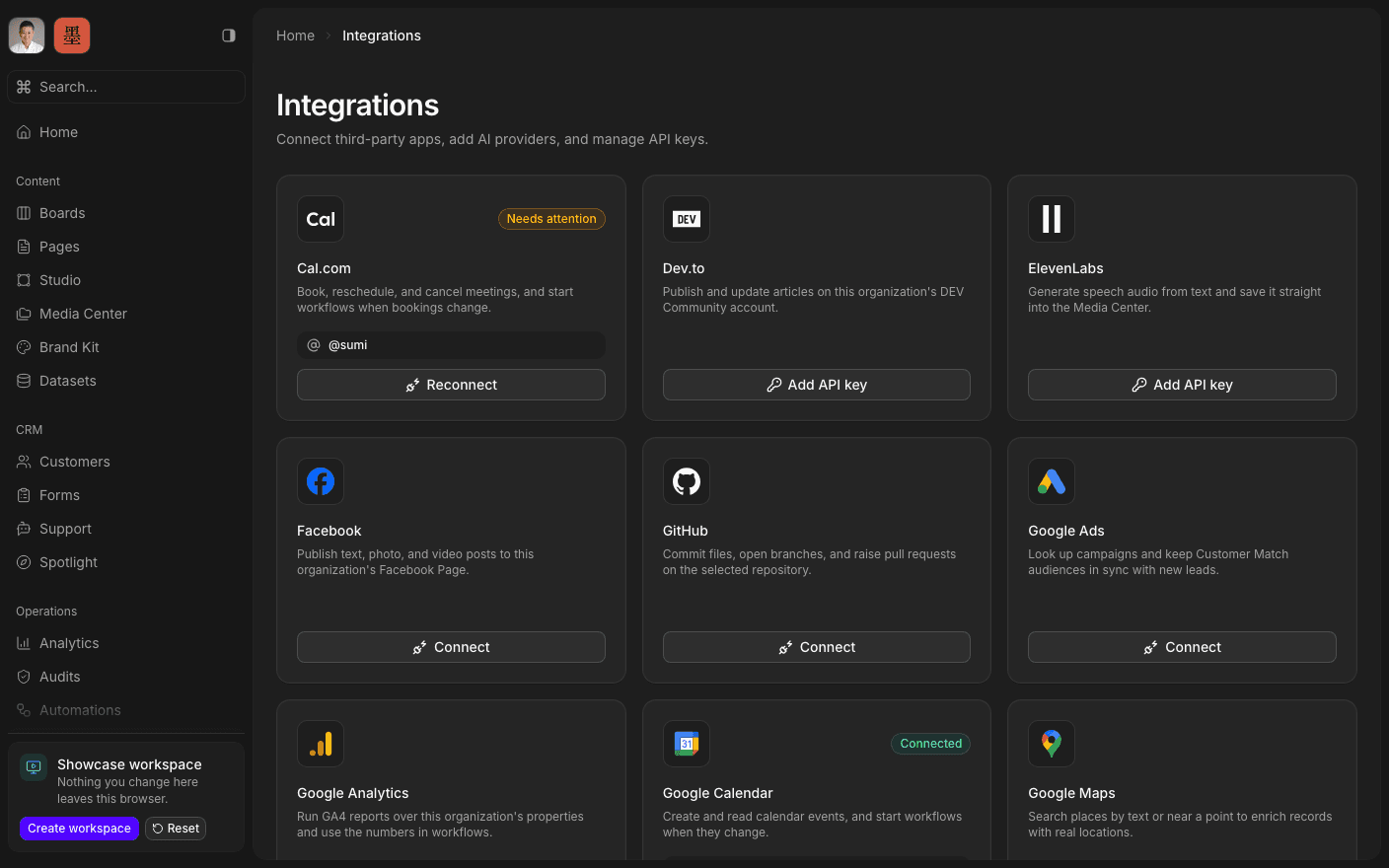
Press play to run the real interface right here — made-up data, in your browser, and nothing you do in it leaves the tab.
One place for the keys.
Every tool that touches an outside service eventually wants its own credential, and the credentials end up spread across five settings screens and one person's password manager. Integrations is the single page where an organisation's connected accounts live, managed by the people entitled to manage them.
Connect Google Calendar, Sheets, Analytics, Ads, Search Console and Maps; Resend, Cal.com, Facebook, Instagram, Meta Ads, WhatsApp, LinkedIn, X, Reddit, GitHub, ElevenLabs, and your own OpenAI or OpenRouter keys. Once a connection is there, the rest of the workspace can use it: an automation node that sends an email, a Support assistant that needs a model, an API call that posts on your behalf.
Connections belong to your organisation and stay inside it, like everything else. Disconnect one and everything downstream stops using it — there is no second copy of the credential somewhere else.
Inside Integrations
Connect an account
Google, Meta, Resend, Cal.com, LinkedIn, X, Reddit, GitHub, ElevenLabs.
Add your own AI keys
OpenAI or OpenRouter, stored against your organisation.
Use it in automations
Action nodes draw on the connection you already made.
Power the assistant
Support's AI configuration reads the same providers.
Reach it from the API
The same connections back machine-facing workflows.
Disconnect cleanly
Remove a connection and everything downstream stops.
Connect an account.
Book a 30-minute call. We'll go through what's working, what isn't, and what the first move should be. If we're not the right fit, we'll say so on the call.